
When running an upgrade of a CrowdStrike installation, it may occasionally be necessary to remove existing registry keys.
Some cases where this is useful are:
1. A CrowdStrike agent refuses to uninstall
2. Despite uninstalling an agent and installing a different version, the agent remains on an old version
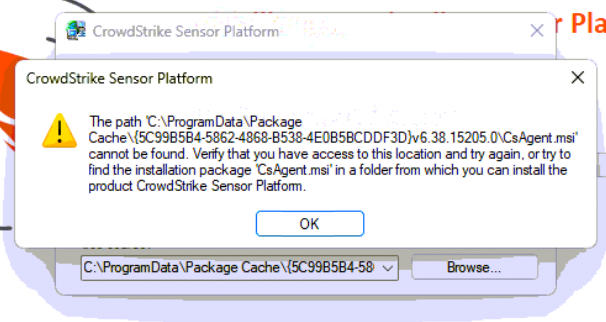
3. A CrowdStrike popup appears with the notification: 'The path …CsAgent.msi' cannot be found… (Image at bottom)
Navigate to the following Registry Editor Directory: Computer\HKEY_CLASSES_ROOT\Installer\Products\
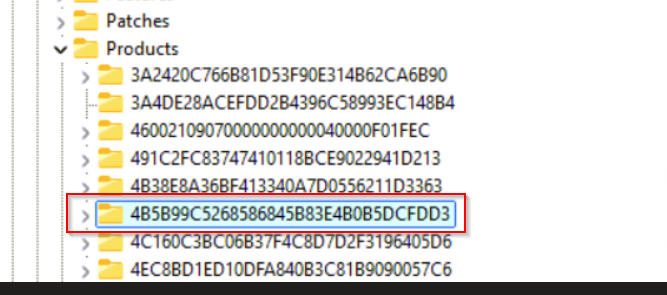
Within that folder, you’ll find lots of randomly named keys. Scroll through each until you find one with a ProductName of “CrowdStrike Sensor Platform”
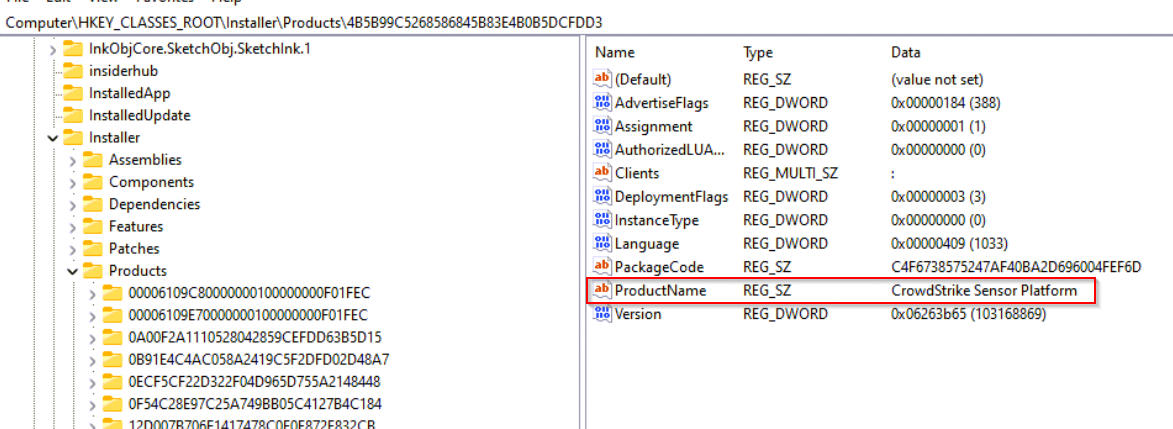
Delete the Entire Key.
Misc References:
Error Message:
Reddit Post Source for Registry Key: CsAgent.msi Missing : r/crowdstrike